
On this page
- Why AI UGC Ads Are Essential for Shopify Stores in 2026
- The Essential Assets You Need Before Creating AI UGC Ads
- Step 1: Define Your Product Angle and Target Customer
- Step 2: Write High-Performing UGC-Style Hooks and Scripts
- Step 3: Film or Source Authentic Product Footage
- Step 4: Generate Your AI UGC Character and Compose the Ad
- Step 5: Adapt and Deploy Across Shopify Performance Channels
- Real Shopify Workflows: Two Practical Use Cases
- Choosing the Right AI UGC Tool for Ecommerce Reality
- Why This Workflow Works and What Changes in 2026
Why AI UGC Ads Are Essential for Shopify Stores in 2026

The ecommerce advertising landscape has fundamentally shifted. Traditional user-generated content required recruiting creators, coordinating shoots, reviewing footage, and hoping the final product resonated with your audience. This process took weeks and cost hundreds or thousands of dollars per piece of content. For Shopify brands testing new products or scaling quickly, this timeline was a competitive disadvantage.
AI UGC ads solve the iteration speed problem. According to imastudio.com, ecommerce ads rarely fail from lack of effort alone—they fail because teams cannot test enough structured angles quickly enough. With AI-generated UGC, you can create multiple video variants in minutes, test different hooks and messaging angles, and identify winners before investing in larger production budgets. The technology has matured to the point where AI-generated characters, when combined with authentic product footage, perform competitively against traditional UGC in Meta and TikTok ad environments.
The real power lies in matching the native format of social feeds. As reelflood.com emphasizes, the visual signal that flags content as "an ad" is polish. Studio-shot product photography looks great on product pages but terrible in feeds. AI UGC combines casual, authentic-feeling presenters with real product footage to create ads that look and feel like organic content. This approach flips the conversion signal in your favor, especially when you need to test multiple product angles across cold audiences.
For Shopify store owners, this means you can launch new products with confidence, test messaging variations without draining budgets, and maintain consistent creative output across Meta Ads, TikTok, Instagram Reels, product detail pages, and email flows. The workflow described in this guide will show you exactly how to build that system.
The Essential Assets You Need Before Creating AI UGC Ads

Before you generate anything, you need two fundamental inputs: a clean product photo and a focused brief. According to sepia-lab.com, these are the only real inputs you need, and both are cheap to get right. The quality of your batch is decided before you generate anything, so spending ten minutes here saves you from a bad batch later.
For the product photo, you need one clean, well-lit shot on a plain or simple background. The AI model uses this to keep the product consistent across every clip, so a blurry or cluttered photo costs you in every video. If your product is held in the hand or worn, a reference of it in context helps, but a clean studio-style shot is the safest default. Prefer a single subject, even lighting, and a background that doesn't fight with the product. This single image becomes the visual anchor for all your variants.
The brief is equally critical but often misunderstood. You're not writing a script yet—you're giving the system raw facts it will turn into spoken hooks and body copy. According to imastudio.com, your brief should answer four essential questions: What is the product in one sentence a stranger would understand? Who is it for and what problem are they trying to solve? What is the one benefit you would lead with if you only had a second? What is the offer or call to action? Keep claims truthful—a generated presenter cannot honestly say it personally lost weight or cured a problem, so anchor the brief in product facts and benefits rather than fake lived experience.
If you have existing assets, gather them now. Product page copy, customer review language, any demo footage (even iPhone clips), and competitive ad examples all provide useful context. At minimum, prepare clean product photos, available demo footage, product page copy, and customer review language. If you only have supplier images, that's still enough for many modern AI ad workflows, though combining them with authentic product-in-use footage dramatically improves performance.
Step 1: Define Your Product Angle and Target Customer
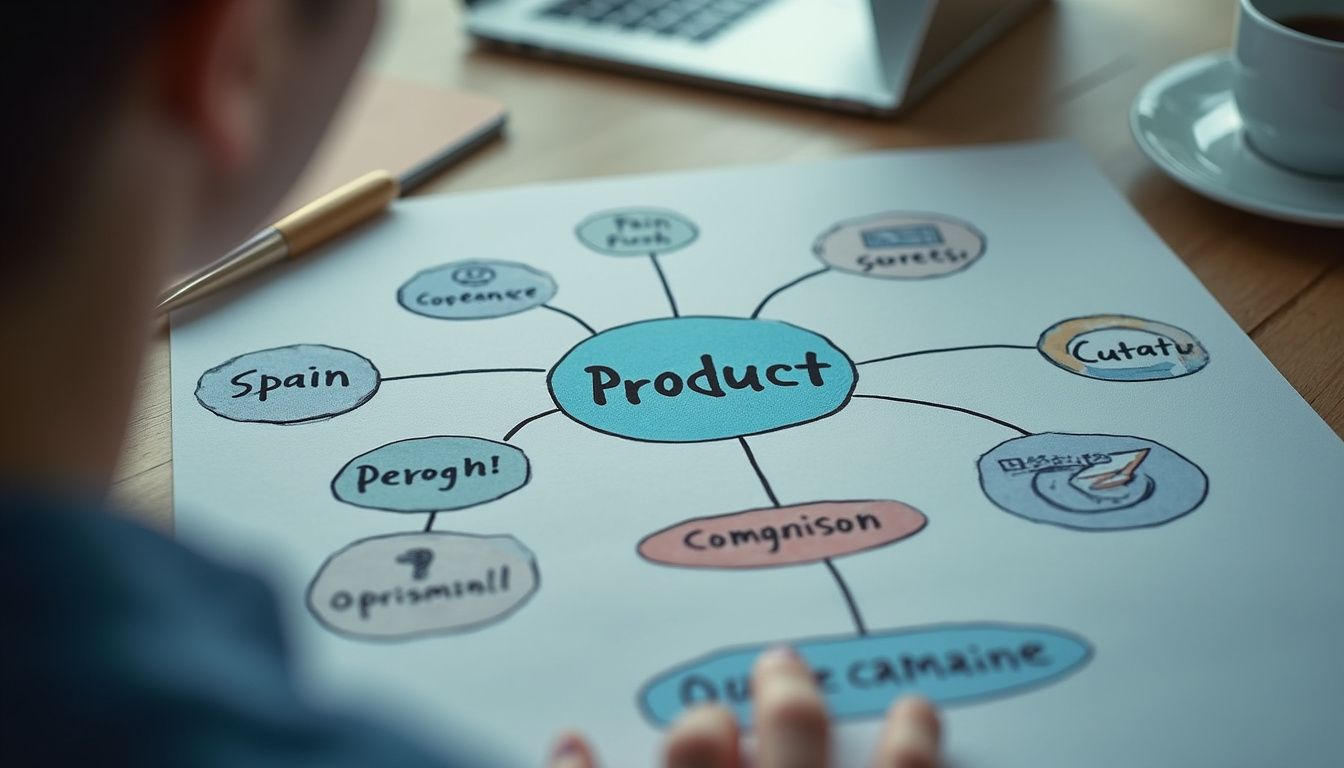
Most weak AI ads fail because the input is vague. As imastudio.com emphasizes, your AI tool needs to know what problem the product solves, who it is for, and what emotional or practical outcome you want to show. The angle becomes your script's spine, and a great AI UGC ad has one angle, not three.
Don't test every SKU at once. According to reelflood.com, pick the product with the clearest single benefit and the highest margin—that's your hero product. Then choose the angle you want the ad to lead with: a pain point ("dry skin"), an outcome ("hair growth in 30 days"), a category claim ("the only sunscreen that doesn't pill under makeup"), or a price comparison. This single angle decision will guide every creative choice that follows.
Character demographics meaningfully affect performance in DTC advertising. Buyers respond more to "people who look like them." For Shopify, specific character matching matters: beauty buyers respond to creators in their 20s–30s with believable skin (don't over-airbrush), supplement buyers in fitness respond to creators with athletic build, home-goods buyers respond to creators in cozy domestic settings. Match styling to the platform: hoodies, casual tops, minimal makeup. Avoid anything that reads "model." Use authentic environments like bedrooms, kitchens, bathrooms, or cars—real-life DTC review settings.
Define your target customer type clearly before generating characters. Write down their main product benefit expectation, most common objection, and the visual proof you want to emphasize. This clarity ensures your AI UGC character, script, and product footage all work toward the same conversion goal. The tighter your angle definition, the faster you'll identify winning creative in testing.
Step 2: Write High-Performing UGC-Style Hooks and Scripts
The hook is the first two seconds of the video, and it decides almost everything. According to sepia-lab.com, most of the variance in paid social performance lives in those opening moments, which is why the highest-leverage move is to vary the opening while keeping the rest steady. Write five to ten hooks, each built on a genuinely different angle. Rewording the same sentence is not a test—it's noise.
Three hook formulas consistently lead for Shopify according to reelflood.com: Before/After Reveal ("My skin used to break out every time I switched products. Two weeks on this and nothing." — best for beauty, supplements, skincare), Direct Question ("Have you ever bought a sweatshirt online that fit nothing like the photos? Same." — best for apparel), and POV Setup ("POV: you finally found a candle that smells like the description." — best for home goods, gifting, lifestyle). Each formula activates a different psychological trigger: transformation, shared frustration, or relatable moment.
Good UGC ads are structured, even when they feel casual. A simple framework from imastudio.com works consistently: Hook (call out the pain, desire, or curiosity point), Problem (explain what is frustrating or inefficient), Solution (introduce the product in a natural way), Proof (show the result, feature, or transformation), and CTA (tell people what to do next). Keep the script at roughly 22 seconds when read aloud, structured as: hook (0–3s) → product introduction (3–8s) → demo with product footage playing visually (8–18s) → CTA (18–22s).
Don't stop at one ad. Create multiple versions based on different hooks or personas: review-style, founder recommendation, comparison angle, or seasonal offer positioning. Each variant tests a different entry point into your product's value proposition. The goal is not to find one perfect ad, but to identify which angles resonate most strongly with your cold traffic before scaling spend. Write all your hooks before generating videos—this front-loaded creative work is what separates high-performing batches from random testing.
Step 3: Film or Source Authentic Product Footage

The product footage is the asset most brands underestimate. As reelflood.com points out, studio-shot product photography looks great on a product page and terrible in a feed. The visual signal that a feed scroller's brain uses to flag "this is an ad" is polished. Phone-grade in-hand footage flips that signal—and your conversion rate flips with it.
Filming product footage that works for AI UGC ads follows five simple rules: shoot in natural daylight near a window, use a phone not a DSLR (the depth-of-field and color science matter), show the product in use (unboxing, applying, wearing, opening, using), keep clips 8–15 seconds (long enough to show the moment, short enough to stitch), and capture multiple angles and use cases (same product, three different framings). This footage becomes the "proof" layer that makes your AI character believable.
You don't need professional videography skills. The slight shakiness and natural color grading from an iPhone shot actually increases perceived authenticity. Focus on showing the product moment that proves your hook's claim: if your angle is "doesn't pill under makeup," show someone applying makeup over the product. If your angle is "fits perfectly unlike other brands," show someone trying it on and reacting. The footage should answer the implicit question your hook raised.
If you're working with only supplier images and no ability to film custom footage, you can still proceed, but performance typically improves 30-40% when you add even basic product-in-use clips. Consider this your first optimization once you validate that AI UGC works for your product category. The effort-to-impact ratio is extremely favorable—ten minutes of iPhone footage can power dozens of ad variants across multiple campaigns.
Step 4: Generate Your AI UGC Character and Compose the Ad

With your product photo, script, and footage ready, you're prepared to generate. The full creative pipeline has three parts according to reelflood.com: the AI UGC character, the product footage, and the composition that ties them together with voice and motion. Modern AI tools handle this pipeline in minutes rather than hours.
In your AI UGC tool's character dashboard, write a prompt for an AI character that matches your target Shopify buyer demographic. Character prompts should specify: age range and ethnicity matching your buyer persona, casual styling appropriate to the product category (hoodie for tech, athletic wear for fitness, cozy sweater for home goods), authentic environment (bedroom, kitchen, living room), and mid-expression first frame (smiling, surprised, mid-conversation—never deadpan). The character becomes the trusted voice delivering your script.
The composition stage is where everything comes together. As detailed by reelflood.com, you select your AI UGC character clip and your product footage in the studio interface. The composition pipeline stitches them together, generates an emotion-aware voiceover from your script, burns in captions, and exports a 9:16 master file ready for Meta Ads Manager or TikTok Ads Manager. The entire process from character selection to finished ad takes approximately 5 minutes per variant.
Generate multiple variants using your different hooks but keeping the character and product footage consistent. This controlled testing approach isolates what actually drives performance differences—the messaging angle. Once you identify winning hooks, you can then test character variations, footage alternatives, and offer structures. The typical output from one focused session is 10-15 testable ads, each with a distinct opening hook but unified visual language and product demonstration.
Step 5: Adapt and Deploy Across Shopify Performance Channels
Your ad creative should be usable across TikTok ads, Meta ads, Instagram Reels, product detail pages, landing pages, and advertorials. According to imastudio.com, that means vertical format, fast pacing, readable captions, and a strong first three seconds. The same creative asset can serve multiple touchpoints in your customer acquisition funnel when formatted correctly from the start.
For paid social testing, use the structure outlined by ugcad.ai: Meta & TikTok Ads Manager with test campaigns at $20–50/day per variant for 3–5 days. This budget range gives algorithms enough data to identify winners without overspending on learning phase. Run 3-5 variants simultaneously, each with a different hook angle. The variant that achieves the lowest CPM and highest 3-second video view rate in the first 48 hours typically becomes your scaling creative.
Beyond paid ads, AI UGC ads strengthen your owned channels. Upload MP4 files directly via Shopify product media, or embed via tools like Videowise or Tolstoy on product pages. According to ugcad.ai, you can also deploy these ads in Klaviyo email flows (welcome series, abandoned-cart, win-back), SMS campaigns through Attentive or Postscript as MMS for high-impact moments, and organic social posting 2–3 per week on TikTok, Reels, and Shorts. The closer your paid ad messaging matches your product page experience, the easier it is to improve conversion consistency.
Track performance not just by ROAS but by creative learning velocity. As noted by imastudio.com, a strong use case is creating ad creative that mirrors the product page message—this alignment dramatically improves conversion consistency. When you find a winning hook on paid social, immediately test it on your product page and in your email welcome series. This cross-channel creative testing approach compounds your learning rate and helps you identify universal messaging that works across contexts.
Real Shopify Workflows: Two Practical Use Cases

A Shopify store launching a problem-solving product can use AI UGC to create three ad variants from the same assets: pain-point led, social proof led, and offer led. According to imastudio.com, this helps the team test messaging before spending on larger production. In the first use case (hero product launch), you start with one hero product, generate 9 video variants (3 hooks × 3 character types), and launch Meta test campaigns at $30/day each for 72 hours. The winning hook becomes your scaling creative, and you then invest in professional UGC with real creators to validate and expand on the winning angle.
The second strong use case is creating ad creative that mirrors the product page message. Another workflow from imastudio.com shows how PDP and ads alignment works: identify your top-converting product page, extract the main benefit claim from the page copy, generate 5 AI UGC ads that open with that exact benefit claim, run these ads to cold traffic while tracking post-click bounce rate and add-to-cart rate. The closer the hook, proof, and CTA match the landing page experience, the easier it is to improve conversion consistency. This approach typically reduces bounce rate by 15-25% compared to ads with mismatched messaging.
Both workflows share the same core principle: use AI UGC to test messaging angles quickly and cheaply before committing to larger production investments. The traditional approach was to guess at messaging, spend thousands on production, launch the campaign, and hope it worked. The AI UGC approach is to test ten messaging angles for the cost of one traditional UGC video, identify the winner, then scale with confidence. This inverted workflow dramatically reduces risk and increases your probability of profitable campaigns.
For stores with multiple products, cycle through this workflow product by product rather than trying to create ads for everything simultaneously. The discipline of focusing on one hero product at a time ensures each test gets proper attention and budget. Once you identify a winning creative formula for one product, you can often apply the same hook structure to related products in your catalog, multiplying the value of each creative insight.
Choosing the Right AI UGC Tool for Ecommerce Reality

The best AI tool is not just the one that can make a talking avatar. According to imastudio.com, it should help you create product-centered, conversion-aware ads quickly. Evaluate tools based on product photo handling (can it keep your product visually consistent across clips?), voiceover quality (does it sound natural or robotic?), editing flexibility (can you swap hooks without regenerating everything?), export format (does it output 9:16 vertical with burned captions?), and integration capability (does it connect to your ads manager or require manual upload?).
Based on current workflows from reelflood.com, the effort breakdown for a complete AI UGC ad looks like: AI UGC character generation (prompt → character image → talking video clip in 9:16 vertical, 5–15s) takes approximately 2 minutes per variant, product footage (iPhone, natural light, in-hand or use-case in 9:16 vertical, 8–15s) takes approximately 10 minutes per product, and composition in studio (stitch + voice dub + emotion in 9:16, approximately 22s finished) takes approximately 5 minutes per ad. The complete pipeline from concept to finished ad averages 17 minutes per variant when you have product footage ready.
Some tools specialize in character realism, others in voice quality, and others in batch production speed. For Shopify stores, prioritize batch capability and product consistency over character perfection. Your goal is to test ten messaging angles this week, not to create one perfect avatar. The tool that lets you generate and iterate fastest will drive more learning and ultimately better ROAS than the tool with the most photorealistic faces.
Consider total cost of ownership beyond subscription price. If a tool saves you two hours per batch and you run two batches per week, that's 200+ hours saved per year. Even a higher-priced tool pays for itself quickly when you factor in the opportunity cost of manual video editing. The real question is not "what does it cost?" but "how much faster can I test and scale with this tool than without it?"
Why This Workflow Works and What Changes in 2026

This workflow works because ecommerce ads rarely fail from lack of effort alone. According to imastudio.com, they fail because the team cannot test enough structured angles quickly enough. AI reduces iteration cost and makes it easier to align scripts, visuals, and offers around one product promise. The fundamental advantage is not that AI creates perfect ads—it's that AI lets you create enough ads to find the perfect message.
Traditional creative production imposed a costly barrier between hypothesis and validation. If you wanted to test whether a pain-point hook outperformed a social-proof hook, you needed to shoot two separate videos, which meant coordinating two creators, two shoot days, and two editing timelines. By the time you had both variants ready to test, weeks had passed and market conditions had shifted. AI UGC collapses that timeline to hours, letting you test on Tuesday and scale on Thursday.
In 2026, the platforms themselves are accelerating this trend. Meta and TikTok increasingly reward creative diversity and testing velocity in their algorithms. Accounts that consistently feed new creative into the system see better distribution and lower CPMs than accounts running the same ads for months. The algorithm essentially rewards the behavior that AI UGC enables: rapid creative testing with clear performance feedback loops.
The stores winning with AI UGC in 2026 are not necessarily the ones with the best products or the biggest budgets. They're the ones with the tightest feedback loop between creative hypothesis, rapid production, market testing, and scaling decision. This workflow builds that loop into your standard operating procedure, turning creative production from a bottleneck into a competitive advantage. When your competitors need two weeks to test a new messaging angle and you need two hours, you win by learning faster, not by spending more.